Complete your turn by replying to an email
Published on: September 28, 2026, by: João Alves
A user wrote to us last week with a simple request: "I was looking for the ability to send an email to someone on a list, wait until they responded with COMPLETE, then move on to the next person." They wanted the entire rotation to flow through email. No app, no clicking, just replies.
We built exactly that.
How it works
When you enable email completion on a rotation, the reminder email your team members receive includes a reply-to address. When someone finishes their task, they reply to that email with COMPLETE in the subject or body. That's it. The turn is marked as done, and the next person's reminder goes out on schedule.
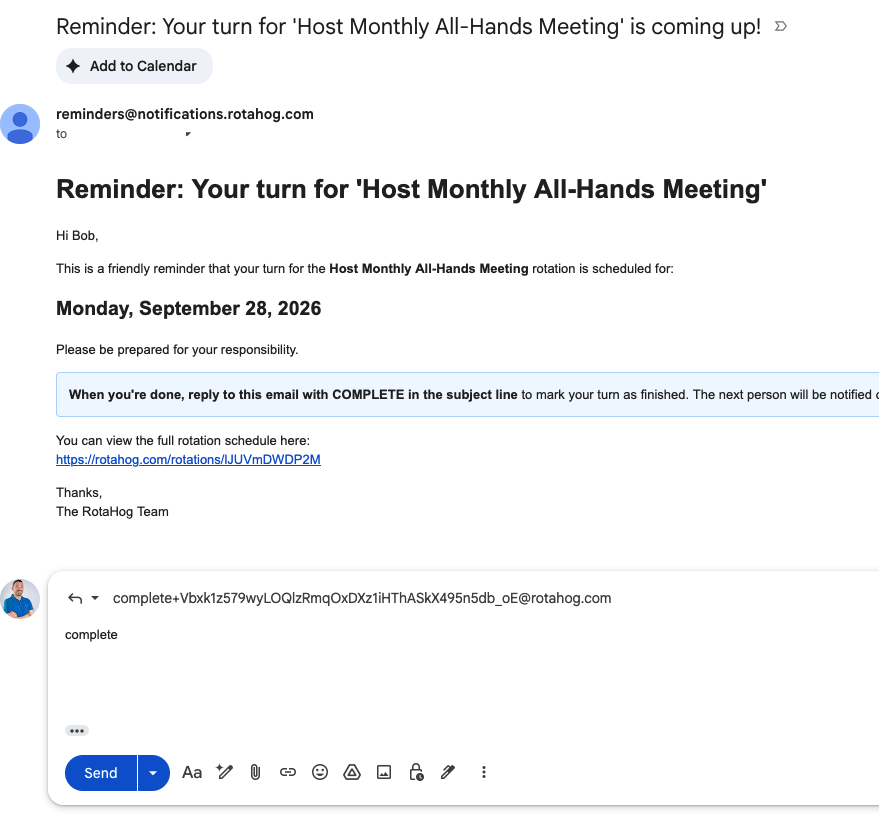
Under the hood:
- Each turn gets a unique completion token baked into the reply-to address
- Replies hit a Cloudflare Email Worker that extracts the token and verifies the message
- The worker calls our webhook, which checks the sender, validates the token, and marks the turn complete
The sender's email must match the rotation member's email (we handle Gmail's plus-addressing, so alice+work@gmail.com and alice@gmail.com both work). No one else can complete your turn by replying.
Gating the next reminder
Email completion works hand-in-hand with a new rotation setting: "Require previous completion." When enabled, RotaHog holds the next person's reminder until the current person marks their turn as done. If someone goes silent, the system treats their turn as missed after the overdue window passes and moves on. No one gets stuck waiting forever.
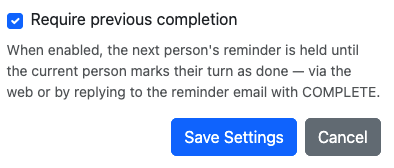
This is ideal for handoff-style workflows where the next person genuinely can't start until the previous one finishes: equipment inspections, document reviews, approval chains, or anything where sequence matters.
Same rotation, new completion channel
We didn't create a new rotation type for this. Your existing weekly, bi-weekly, or monthly rotations keep working exactly as before. Email completion is just another way to mark a turn as done, alongside the web UI, Slack actions, and the API. Enable it in your rotation settings and your team can complete tasks from whichever channel they prefer.
Setting it up
- Open your rotation and go to Settings
- Check "Require previous completion"
- Save. That's it
Your next reminder email will include reply instructions and the magic reply-to address. Team members don't need to install anything or create an account. They just reply to the email they already get.
Bulk cleanup
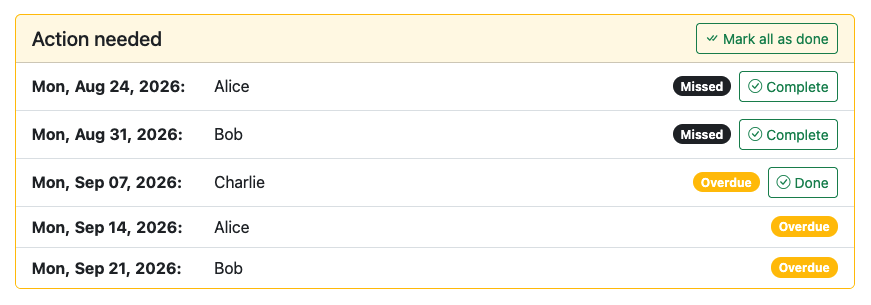
While building this, we also added a "Mark all as done" button to the action needed card. If you have a backlog of overdue or missed turns, you can clear them all in one click instead of marking each one individually.
Availability
Email completion is available on Team Toolkit ($19/year) and Ops Pro ($49/year) plans.
Your team already reads email. Now they can complete rotation tasks without leaving the inbox.
Try it on your rotation